
Top benefits of ERP inventory management
Inventory management is crucial to maximizing the value of your ERP. The right inventory module should simplify the organization and tracking of all your products and stock. It provides real-time visibility across operations, so you can rely on accurate data.
How does ERP help in inventory management?
ERP provides a single, authoritative source of inventory data, enabling cross-departmental visibility and better decision-making. It consolidates logistics, operations, finance, and inventory management into one system, which reduces manual errors and improves efficiency.
For most businesses comparing ERP systems, inventory features are a top priority.
ERP inventory modules help businesses make better decisions by giving all teams up-to-date stock information. Instead of juggling multiple spreadsheets or isolated systems, an ERP inventory database ties together every department.
Planning replenishment orders
ERP lets you plan replenishment orders with precision. With up-to-date inventory counts and demand forecasts, you know exactly when to reorder. The system can automatically generate purchase or production orders for precise quantities based on sales triggers and supplier lead times.
For example, high-demand items can be set to reorder immediately when stock dips below a threshold, while slower-moving items can be purchased in bulk when prices are favorable. Optimizing this replenishment strategy reduces stockouts and overstock, since the system ensures you order only what you need for upcoming demand.
GET ERP RESEARCH & KNOWLEDGE RIGHT TO YOUR INBOX
Covering the key issues faced by businesses selecting and implementing ERP.
Managing surplus inventory
ERP systems help you spot surplus inventory immediately. Real-time dashboards can highlight overstock or aging stock, prompting you to take action.
An ERP can flag slow-moving or obsolete items, allowing you to react quickly. If a large purchase isn't selling as expected, the system might recommend promotions or returns to prevent waste. Acting on these alerts can save on disposal costs and free up cash tied up in excess stock. This helps you offer discounts, return items, or reallocate stock to prevent spoilage and obsolescence.
Guide: ERP Distribution Comparison
Tracking inventory turnover
Using spreadsheets to track inventory (especially at scale) is unsustainable and inefficient. ERPs let you segment inventory (by category, location, customer, etc.) and compare actual turnover rates. For instance, “A” items should sell much faster than “C” items. If they don’t, the dashboard will show it. You can also monitor slow-turning or expiring items and tweak orders accordingly.
This real-time single source of truth means you don’t overstock slow movers and always stock enough fast movers.
With an ERP, you can categorize products and measure how quickly each group sells. Reports might show that high-priority parts turn over daily while others hardly move, prompting you to reconsider purchasing those slow items.
You can also segment by customer or lot: for example, inventory dedicated to one client can be reviewed if it’s sitting idle. ERP dashboards unify all stock data (Warehouses, stores, etc.) so managers immediately see mismatches between expected and actual turnover
Cost savings and efficiency
Better-organized inventory saves time and money. An ERP can optimize warehouse layout (e.g., placing top-selling items within easy reach) and streamline picking, which speeds up fulfillment and reduces labor costs.
Automating routine tasks minimizes errors and waste (for example, preventing over-ordering or expiry). With more accurate inventory, you cut holding costs and free up cash. Faster shipments and fewer mistakes also make customers happier, completing the positive cycle that ultimately boosts profits.
When inventory is managed well, overhead drops. The ERP helps you carry the right amount of stock – not too much, not too little. You’ll spend less on storage and insurance, and avoid rushed (expensive) emergency orders. At the same time, customer orders ship faster because products are available.
Benefits for retail and omnichannel
In retail, inventory management is a core function. The goal is to have the right products (correct size, color, variant) available exactly when customers want them.
A retail-specific module handles SKUs, dimensions, and variations so that when a customer orders, the system instantly confirms availability, helping you serve customers online or in-store without overselling or double-selling an item.
When a shopper wants a red size-9 shoe, the system ensures either the store or the warehouse can immediately fulfill it. And because e-commerce is often a major revenue driver, the inventory module must integrate tightly with your online platform. In effect, one stock ledger feeds all channels.
Cost and pricing management
ERP systems also inform your pricing strategy by helping you track item costs, negotiate with suppliers, and implement dynamic pricing. For instance, slow-moving items can be automatically marked down. Some ERPs even support vendor-managed inventory, allowing suppliers to replenish fast-selling products without a formal purchase order. This ensures you stock popular items at the best cost and can adjust prices based on inventory levels.
For example, the system can alert you when a seasonal item is selling slowly, letting you reduce the price before the inventory becomes obsolete. It can also automate special vendor agreements, like paying for new stock only after it sells. All these cost and price control features are managed within the inventory module.
Retail stock ledger
ERP maintains a precise stock ledger for each SKU variant (size, color, etc.). Every sale automatically reduces the on-hand quantity, and any returns or transfers instantly update it.
Expected losses (shrinkage, spoilage) can be factored in, and adjustments are recorded in real time. This keeps the ledger accurate and up to date, which guides replenishment and financial reporting.
If an item isn’t selling, the system flags it for discounting or transfer. An accurate ledger is critical for knowing exactly when to reorder and for monitoring items that need to be returned or liquidated. When a customer leaves the store with a purchase, their point-of-sale transaction decrements inventory.
If they return an item, the quantity is incremented. Even when theft or damage occurs, you can log it as an adjustment so the system reflects true stock. This precision prevents blind spots in your retail inventory.
Forecasting and planning
ERP forecasting tools use historical sales and external data to plan for seasonal peaks like holidays. By analyzing last year's demand and current trends (e.g., weather or market indicators), the system estimates how much stock to order and times deliveries with suppliers.
Early deliveries are recorded as stock and accounts payable. For instance, winter coats arriving in September but paid for in January are tracked as liabilities in the ERP.
A summary of industry-specific ERP inventory management features
| Industry | Key ERP inventory requirements | Example features |
|---|---|---|
| Manufacturing | Manage raw materials, WIP, and finished goods; sync supply with production schedules. |
|
| Construction | Track materials and equipment across multiple job sites; allocate costs per project and avoid downtime. |
|
| Automotive/Parts | Manage large SKU volumes (auto parts, accessories, VIN-specific components); ensure critical parts are always available. |
|
| Medical & Healthcare | Maintain strict control over expiry dates, compliance, and replenishment of critical supplies. |
|
| Retail & E-commerce | Provide real-time stock visibility across stores and online channels; prevent overselling. |
|

Free white paper
Manufacturing ERP requirements template
Over 120 critical manufacturing ERP features in one downloadable spreadsheet
Featured white papers
-
Manufacturing ERP Implementation Checklist
Over 70 actionable steps to rolling out new manufacturing ERP software
Download -
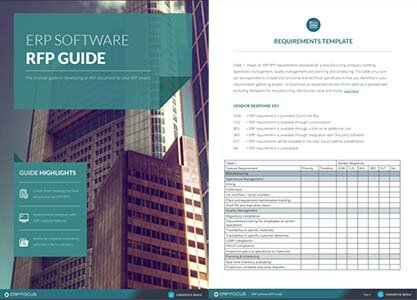
ERP Software RFP Guide & Template
The comprehensive guide to developing an RFP document for your ERP project
Download -
70 features to look for in your next ERP
A comprehensive guide to help you identify requirements for your ERP selection
Download
Related articles
-

ERP vs. HRMS: which should manage your payroll?
Compare the advantages and disadvantages of using HRMS or ERP to manage your payroll
-

Secret KPI: Why Your ERP Implementation Team Matters More Than Software
Learn how Godlan ensures successful ERP implementation for manufacturers with proven strategies &...
-

ERP finance modules guide (finance features in ERP)
ERP finance module features that will help you keep on top of your business's expenditure