
Can your small business afford an ERP?
Hunting for ERP prices online is notoriously difficult. Most top vendors want to speak to their prospects first and give a custom solution and price. That makes sense.
But it also makes it very hard for small businesses to get an idea of affordability. When you go digging, and the rates that pop up are in the $750k range, it feels like ERP is inaccessible to small businesses. Fortunately, there are alternatives.
Calculating the total cost of ERP ownership
Before we go into some pricing examples, let’s take a look at the bigger picture. You know that implementing a new ERP takes time and money. That it’s not enough to price up the software itself and think that’s the end of your expenditure. To get a true number, you need to evaluate the total cost of ownership (TCO) for your chosen ERP. It’s this figure that you need to budget for and to measure your ROI against.
There are five main factors influencing small business ERP costs:
- Deployment type (on-premise vs SaaS)
- User numbers
- Features and modules needed
- Customization
- Training costs
Let’s have a closer look at some of these variables.
ERP costs by deployment type and user number
On-premise solutions don’t make a whole lot of sense for small businesses. The cost of buying the infrastructure you’d need to host the ERP would be untenable. Smaller businesses usually go for a SaaS deployment.
Less initial outlay means you’ll see a faster return. SaaS ERPs are usually based on a per-user basis. For example:
- MRPEasy starts at $49 per user, per month
- Odoo Online costs $24 per user, per month, including all apps (this used to be per app…as was the case at the time of our last update).
Note: The figures above are based on annual billing.
More about apps, or in this context, modules next.
ERP costs by features and modules
Small businesses get a heap of benefits from less complex ERP systems. You probably don’t need all the functionality of a $70k system, so why pay for it? Some of the most common features include:
- Accounting
- Business intelligence
- Customer relationship management (CRM)
- Human resources (HR)
- Inventory management
- Manufacturing
- Supply chain management (SCM)
Before you buy a system with unnecessary bells and whistles (or get put off by frightening prices), take these features into account. Which do you really need? Shortlist the systems offering modular pick-and-mix packages or that have the basics that match your needs.
Customization costs
It’s unlikely that you’ll need to spend the extra it takes for customization. As a smaller business, you won’t have the tricky integrations with other enterprise apps and proprietary systems that large organizations have to bear.
Recommended next read: The top ERP systems for small businesses in 2026
Look for systems that integrate with the tech you don’t want to part with, or that easily replace and improve on existing processes. You’re smaller and more nimble; make the most of this as it gives you cost savings where the giant corporations get hit hard.
Training costs
This is a tricky area for small businesses. ERP training can poke holes in your productivity if it’s not done right. While big companies can afford to train user groups and keep a skeleton staff turning the wheels, a small business might have all employees tied up in training sessions. It could be that your vendor offers training, or you might want to hire an experienced consultant to get you off the ERP blocks.

Free white paper
Small business ERP: five steps to success
Featured white papers
Related articles
-
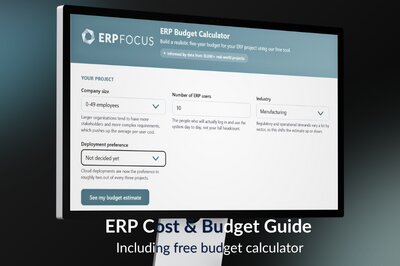
How much does ERP cost? Cost & budget guide + budget calculator
How much does an ERP system cost? Everything you need to make an ERP software budget
-
How do Dynamics 365 partners help with ERP customization & integration?
A guest article from Dynamics Square on why off-the-shelf solutions don't always work and how the...
-

How to justify the cost of ERP software
The cost vs benefits of ERP to include in your project pitch to justify the cost of your system