
ERP implementation plan (ERP implementation process guide)
ERP implementation is the process of planning, configuring, testing, and launching an ERP system so it fits the way your business works.
Without a structured ERP implementation plan, you risk cost overruns, operational disruption, delayed go-lives, poor user adoption, and failed business outcomes.
Whether you are deploying a cloud ERP platform, replacing legacy systems, or planning a multi-site rollout, this guide will help you create a realistic ERP implementation project plan and improve your chances of success.
ERP implementation phases
Most ERP implementation projects follow a phased approach designed to minimise disruption and improve project control. While methodologies vary by organisation and vendor, successful ERP system implementations generally include the following stages:
| Step | ERP implementation stage | Description |
|---|---|---|
| 1 | Assemble your ERP project team | Plan who should be responsible for ensuring your ERP implementation runs smoothly across all departments and business functions. |
| 2 | Create an ERP change management plan | Determine how to support employees and stakeholders through the transition from legacy systems to the new ERP platform. |
| 3 | Estimate your ERP implementation budget | Understand expected ERP implementation costs, including software, consulting, training, integrations, and hidden expenses. |
| 4 | Start your data migration | Develop a structured data migration strategy to move information from legacy systems into your new ERP environment. |
| 5 | Train ERP users | Identify training requirements for different user groups and prepare employees to use the ERP system effectively. |
| 6 | Manage ERP go-live | Prepare for deployment with testing, support planning, contingency procedures, and operational readiness checks. |
| 7 | Evaluate ERP project success | Review implementation outcomes against project goals, KPIs, user adoption metrics, and operational improvements. |
Bringing together an ERP project team
First things first: it’s going to be pretty miserable planning this out on your own. Creating an efficient and dedicated ERP implementation team will make your job much, much easier.
To start with, you’ll need the following ‘core’ members.
- Project manager: the leader. You, probably.
- Application analyst: responsible for data migration and cleansing
- Application developer: in charge of system customisation
- QA test engineer: heads up system testing and performance efforts
To ensure your implementation goes smoothly across all departments and to avoid the workforce dismissing your plans as just ‘IT telling us what to do’, you’ll need a few more people.
These depend on your key stakeholders, which will vary by company and the functionality you’re implementing. Here are some example stakeholders you should include when implementing various functions:
Creating a change management plan
There are two sides to this, really.
First, you’ll want to plan out your ERP implementation in steps and delegate these across your implementation team depending on expertise.
We’ve got an in-depth template ERP implementation schedule here - though you can use the checklist below to get a handle on what needs doing quickly. Before setting off on your implementation, you should have plans in place for:
- Forecasting implementation costs and drawing up a budget
- Creating an ERP implementation schedule
- Migrating data to the new system
- Training your ERP user base
- Testing your ERP and going live
- On-the-day go-live activities
- Evaluating the success of your project
Tools like Trello, Google Sheets, and Wrike are excellent for collaborating on ERP implementation. Choose the one that best fits your company’s project management style.
This step-by-step guide goes into each stage in the ERP implementation process in great depth
Second, you’ll need to plan ways to keep the company on side during the implementation. Change always brings a degree of disruption, but this can be minimised by:
- Clear communication of any anticipated disruption
- Allowing adequate time for user training
- Taking key stakeholder needs into account (you’re halfway there with this already, having included representatives in your project team)
Forecasting your costs and drafting a budget
ERP implementation costs
If this were easy to answer, there would be far fewer overbudget ERP implementations and far more people volunteering to project manage them.
According to a past Softwarethinktank industry study:
- 35% of ERP projects exceeded their budget by 0%–25%.
- 15% were over budget by 26%–50%.
- 6% were over budget by more than 50%.
This suggests that, overall, over half of ERP implementations run over budget. Needless to say, budgeting is a minefield, and you’ll have to be very careful.
Still, there are some costs it is possible to define. A good starting point is to assume that the cost of an ERP implementation will be at least 1% of an enterprise’s annual gross revenue.
You should then include all of these factors in your implementation budget to avoid being hit by hidden costs:
- Hardware/network upgrades: these will be far higher if you are implementing an on-premise system
- Staff overtime pay: an important one to remember - “we didn’t budget for overtime pay, sorry” is not a line that will go down well with your team
- Vendor training, customisation, and consultancy fees: if you’re lucky, your vendor may have included these in the initial software price, but this is definitely not a given. Always check
- Data backups and storage: these are often bundled with cloud ERP costs, but always check.
What you can expect to pay for an ERP will vary depending on several factors, ranging from business size, requirements, and the number of users, but a Software Path report recently found that, on average, companies spend about $9,000 on average per user of a system.
Don't forget to budget for ERP training costs - 95% of companies whose ERP implementation fails only dedicate 10% of their budget to user training and change management.
Tip: For accurate results, also budget for productivity loss. No matter how hard you try, you won’t operate at maximum efficiency during implementation.
Migrating your ERP data
So it begins.
You’ve planned as much as you can. Now it’s time to get down to the actual process of shifting your company over to the new ERP.
Data migration is the first step - if you get it right, you’ll have built a solid foundation on which to continue your implementation efforts. Get it wrong, and things may start to crumble.
Your application analyst should head up this effort as it’s their speciality. Be ready to assist them in:
- Data cleansing and verification
- Database setup
- Mapping legacy data to new database fields
- Data transfer to the new system
- Testing and verification of legacy data
- Testing and verification of new data inputs
Training your ERP user base
User adoption is key to the success of your ERP implementation project, and a suitable user training plan is essential in achieving this.
There are various ways to train your workforce, but most methods fall into ‘in-person’ or ‘e-learning’ categories:
Regardless of which training method suits your workforce best, four features of all successful training programs include:
- Role-based training to streamline the process and keep time-poor employees on-side.
- Opportunities for trainees to offer feedback (and for the implementation team to act on it
- Clear communication channels with vendor support teams
Tip: Identify promising, tech-savvy members of staff to train as ERP superusers. They can then deal with low-level user issues, allowing you to focus on the task at hand.
For best results, why not try gamifying parts of your training plan? In a study by TalentLMS, 89% of respondents said a point-based system would boost their engagement, while 62% said leaderboards and the opportunity to compete with colleagues would motivate them to learn.
Use this to your advantage. Small perks for everyone who completes training tasks on time, and larger ones for top performers, will make training more appealing for busy employees.
Go-live activities
The ERP go-live phase marks the culmination of your hard work. If you thought getting married required a lot of planning, the ‘go-live’ stage may surprise you.
Things to plan include:
- System testing (pre- and post-go-live)
- Staff scheduling, including required overtime or temporary staff
- Identifying metrics for project evaluation
- Creating a communication strategy for system downtime
- Network speed and reliability checks
- Data backup processes
Communication is key here, both with your team and the wider workforce. You’ll need to be clear on who’s doing what, when you expect it to be done, and what downtime hours you expect.
For more on the go-live stage of your ERP implementation, see:
Five aspects to planning a successful ERP go-live
Evaluating the success of your ERP implementation project
Start off with these simple questions:
- Has your company gone bust?
- Are they suing your ERP vendor for breach of contract?
- Did you manage to keep the project within budget?
If so, you’ve probably not done terribly. Give yourself a high five.
To get a bit more in-depth about things, you should use a combination of the following metrics:
- ROI. Have you seen a return on the money you spent on your ERP?
- Decrease in human error: A well-implemented ERP should reduce data errors due to process automation. If your training plan worked, employees should be making the most of these features
- Increase in productivity levels: This speaks for itself. Has the ERP achieved exactly what it set out to do?
- Increase in client satisfaction: have turnaround times increased? Are you processing orders quicker?
Am I ready to implement ERP?
Hopefully! However, it would be best to remember that implementing ERP is a significant undertaking that shouldn't be thought of lightly. To ensure your ERP implementation success, you should ensure that:
- Plan your ERP implementation thoroughly: Don't underestimate how long it will take to get your system live and functional in your business. Taking an extra month to plan and ensure your data is cleansed and prepared for migration, and that your team is ready for the new processes and systems, will save you in the long run compared with implementing before you are ready.
- Ensure your team is supported and receives adequate training: a study found that 95% of companies that failed during their implementation only spent 10% of their total budget on ERP training and support - don't be one of these companies.
Skipping proper training for your team will lower your company's buy-in for your costly project and reduce the benefits you'll get from the system. End-users need to know how to use the system well and feel confident in their daily activities—support and training isn't an area to cut budget!
ERP implementation FAQ
How long does ERP implementation take?
An ERP implementation shouldn't be rushed. Your ERP will affect every function of your business, so take the time to plan and process the changes you are bringing.
Typically, an ERP implementation takes 4 to 8 months, but this varies with project complexity. Smaller businesses using out-of-the-box systems may finish in just a few months.
A complex implementation for a global organisation with customisations, multiple locations, currencies, and languages can take much longer, potentially even years to roll out company-wide.
Should I hire an ERP implementation consultant?
Short answer: yes, if you lack in-house and you can afford it. An experienced consultant will have seen it all before and can circumnavigate problems before they arise.
It is possible to implement successfully without one, so don’t despair if your budget can’t stretch or your accounts department is tight-fisted.
What does an ERP implementation project manager do?
An ERP implementation project manager coordinates planning, scheduling, communication, budgeting, risk management, vendor relationships, and implementation governance throughout the project lifecycle.
What is the difference between phased and big bang ERP implementation?
A phased implementation is gradual, while a big bang implementation transitions the entire organisation simultaneously. Phased implementations typically reduce operational risk but may extend project timelines.
Final thoughts
A final word before signing off: all companies are different. You'll need to customise this template to the needs, schedules, and idiosyncrasies of your own organisation for maximum success.
It won't (unfortunately) implement your ERP for you. It will, however, help you understand the process and increase your chance of success.
And isn't that almost as good?
Happy implementing!

Free white paper
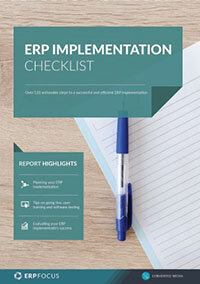
ERP Implementation Checklist
Over 120 actionable steps to implementing a new ERP successfully
Featured white papers
-
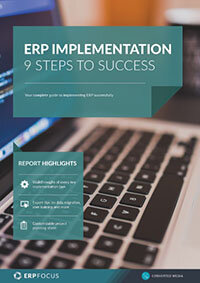
ERP Implementation: 9 steps to success
The 9 proven steps you should follow when implementing ERP
Download -
ERP Implementation Checklist
Over 120 actionable steps to implementing a new ERP successfully
Download -
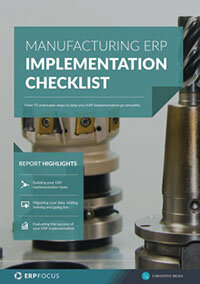
Manufacturing ERP Implementation Checklist
Over 70 actionable steps to rolling out new manufacturing ERP software
Download
Related articles
-

Retail ERP: Major Products & Players
A great place to start if you are interested in ERP solutions for the retail industry.
-

How the right ERP can help you launch a successful omnichannel business
Petersen Zhu, CEO of DigitBridge and Vibes Base, shares how to create a scalable omnichannel stra...
-

What to expect at your ERP go-live
Gain more insight into the big day with this article.